Step 1
Confirm the controller is online
Sign in to BHL Cloud and confirm the supported controller appears in your account.

Alexa Integration Guide
Bright Home Lights controllers run WLED-based firmware, but the legacy native WLED Alexa option is disabled in BHL firmware. Use the BHL Cloud Alexa integration instead for app-based control, presets, schedules, and smart home integrations.
Good to know
If you're looking for the native WLED Alexa setting, it may not appear or may be disabled on BHL firmware. Start from BHL Cloud and the integrations screen instead -- the old WLED Alexa emulation method can be inconsistent and isn't the recommended path for Bright Home Lights controllers.
Supported setup path
Interface labels can change as Alexa and the Bright Home app evolve. The supported workflow always begins with a controller that is online in your BHL Cloud account.
Step 1
Sign in to BHL Cloud and confirm the supported controller appears in your account.
Step 2
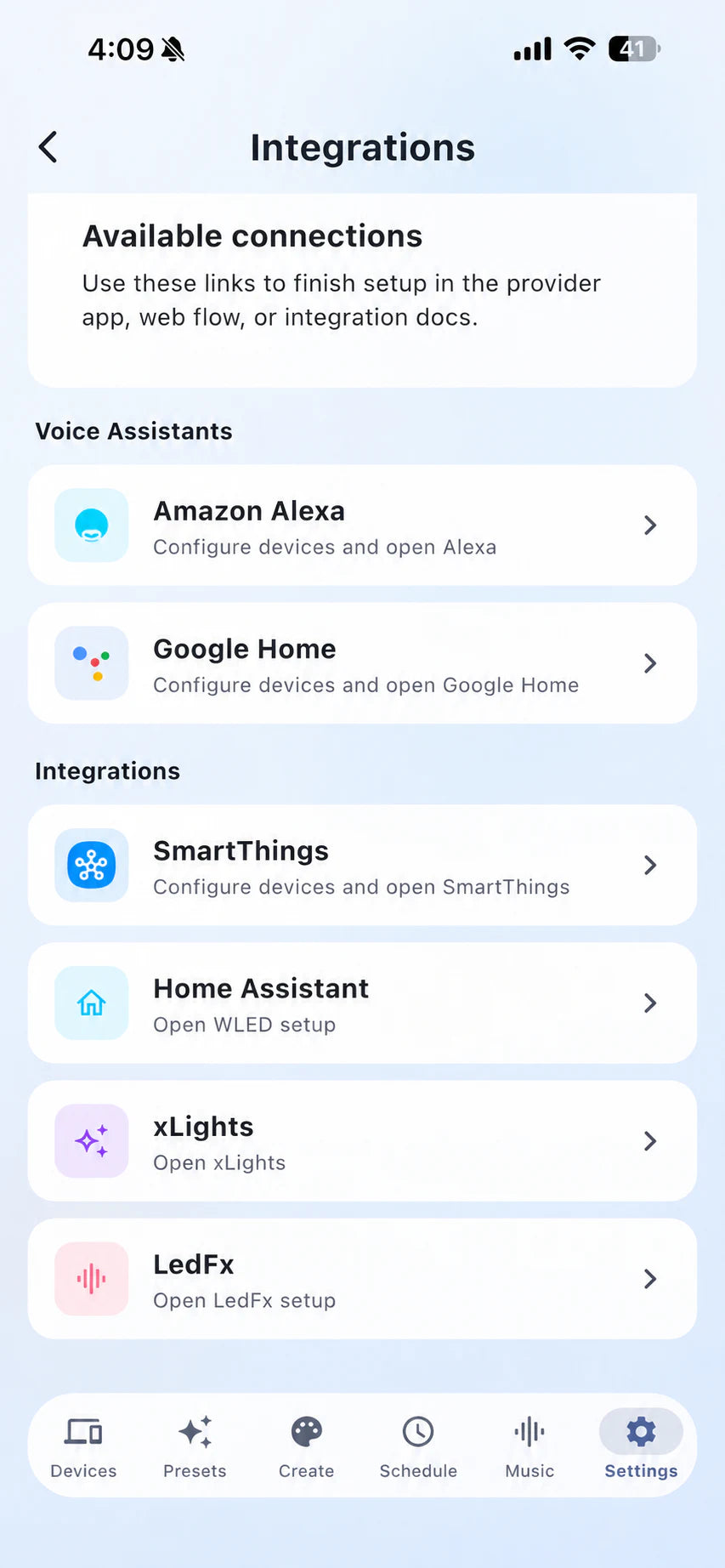
Open Settings, select Integrations, and choose the Amazon Alexa connection.
Step 3
Follow the Alexa prompts and authorize access to supported Bright Home Lights devices or scenes.
Step 4
Run device discovery, assign the result to a room, then test a basic command before building routines.
The legacy native WLED Alexa option is disabled in Bright Home Lights firmware. Use the BHL Cloud Alexa integration for supported controllers.
No. BHL Cloud works with supported WLED-based BHL controllers and adds cloud control, app workflows, integrations, presets, AI themes, sharing, and backups.
Yes. Follow the dedicated WLED Google Home integration guide for the supported BHL Cloud setup path.