Step 1
Join BRIGHTHOMELIGHTS
Open your phone's WiFi settings and join the controller network named BRIGHTHOMELIGHTS.

App Setup Guide
Connect a new Bright Home Lights controller to your home WiFi. Controllers run on WLED software and pair in four quick steps.
Four-step setup
Keep the controller powered and your phone nearby. If the setup page does not open automatically, use the manual address shown below.
Step 1
Open your phone's WiFi settings and join the controller network named BRIGHTHOMELIGHTS.
Step 2
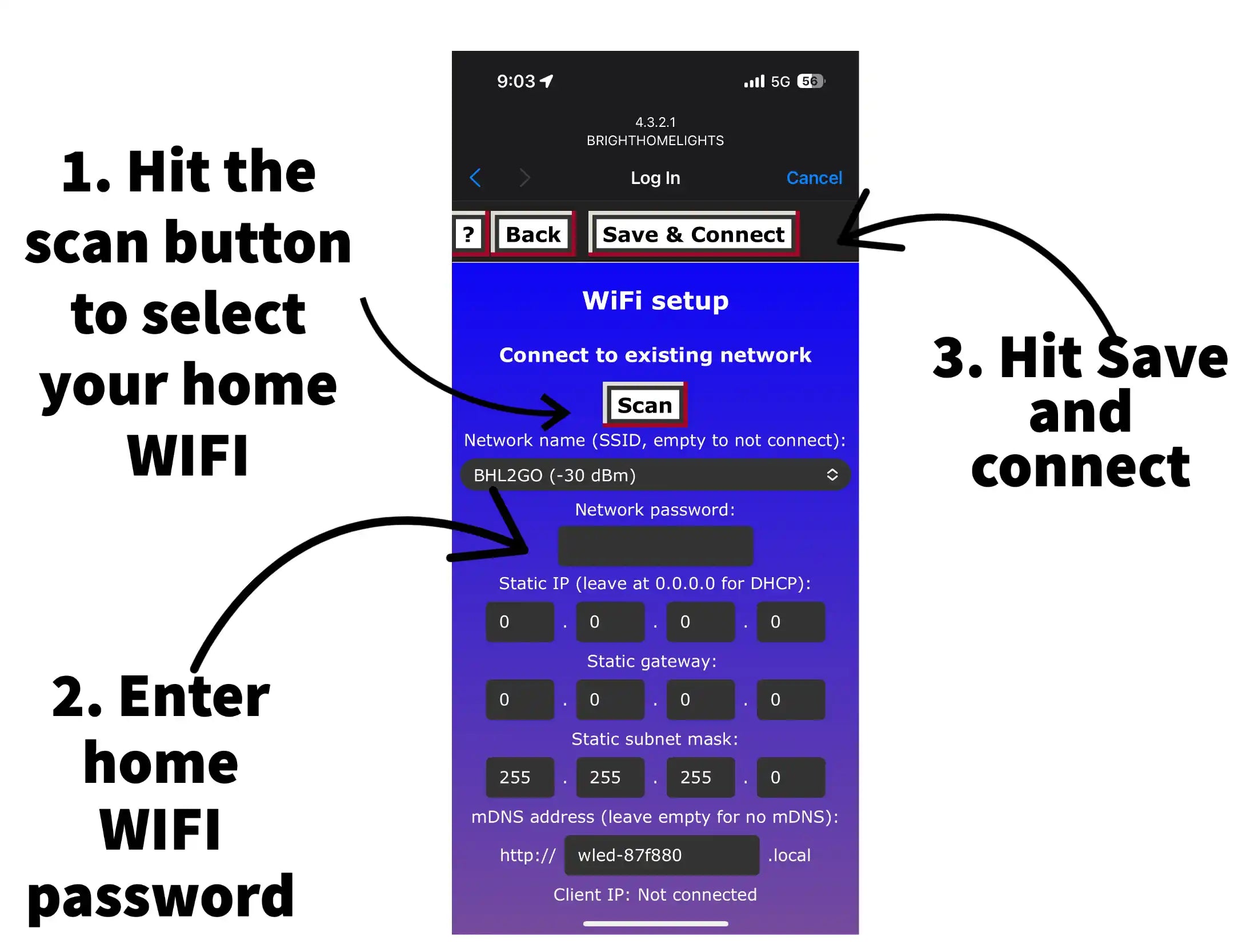
Scan for your home network, enter its password, then choose Save & Connect. Open 4.3.2.1 if the setup screen does not appear.
Step 3
Download Bright Home Lights Cloud for iPhone or Android, then keep your phone on the same home WiFi network.
Step 4
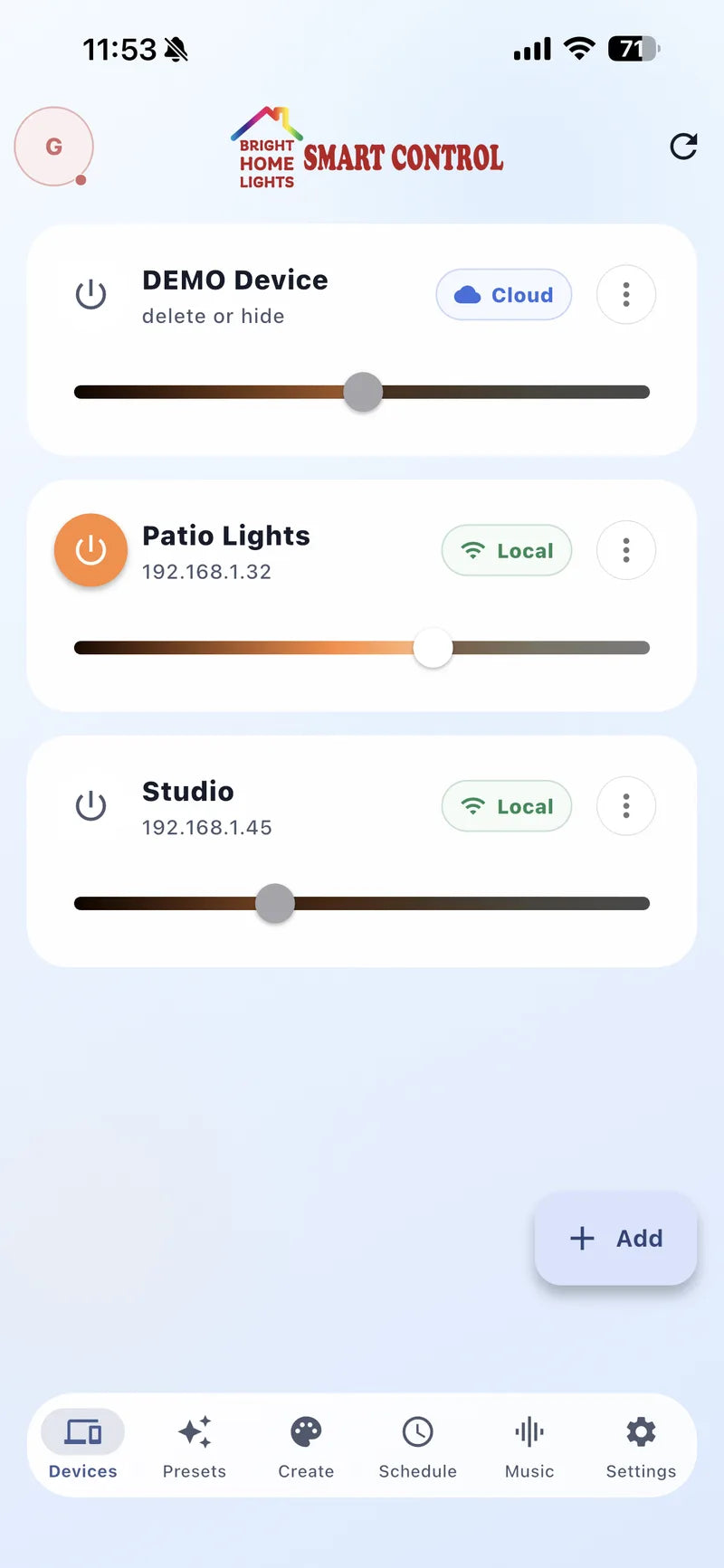
Open Devices and confirm the controller is online. Continue to LED count and segment setup before relying on effects or schedules.